AI built around your clients, not your chats.
Every other AI agent scopes memory to a conversation. Practiq scopes it to the client. Conversations, files, agent sessions, deliverables — all live inside a client workspace. Switch between 50 clients with zero context reload.
See it in action
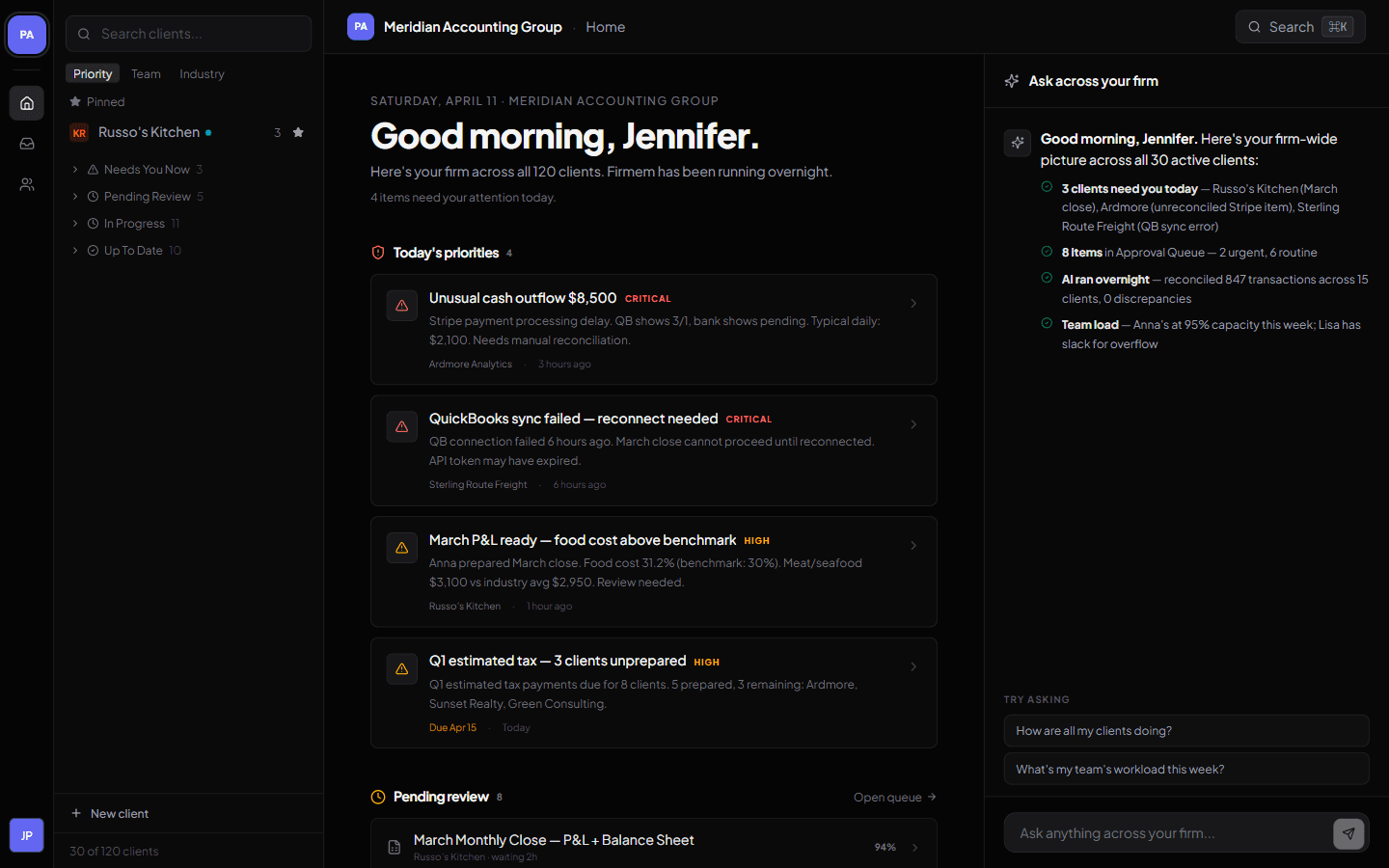
One dashboard for every client your firm manages.
What is Practiq?
Practiq is an AI-native client workspace for boutique professional services firms — accounting, law, HR advisory, consulting, and agency — managing 30 to 200 client relationships. Each client gets a dedicated workspace with full history; an AI assistant scans every client overnight and surfaces a morning priority list.
Practiq is built for accounting / tax / bookkeeping, law, HR advisory, consulting, and agency firms with 2 to 10 team members and 30 to 200 active clients. Pricing is per-client ($10/client/month founding, $15/client/month standard) with unlimited team seats — the opposite of per-seat practice management software. It complements QuickBooks, Drake, Lacerte, Clio, MyCase, BambooHR, Gusto, and HubSpot rather than replacing them.
Client-first, not chat-first.
Every other AI agent organizes itself around conversations. That breaks the moment you manage more than one client. Practiq is built the other way.
This isn't a UI choice — it's a different data model. Every conversation, file, agent run, and audit event in Practiq has a client_id. That's what makes context-switching cost zero.
One workspace per client — and the AI lives inside it
Every conversation, file, agent action, preference, and past deliverable is scoped to the client. Open a client and the AI is already up to speed — no briefing, no pasted history, no forgotten threads.
Shared team memory
When the partner steps out, juniors still have full context.
Works with your tools
QuickBooks, Clio, HubSpot, Figma, BambooHR — always in sync.
Ready-to-send deliverables
Financial statements, board memos, campaign briefs — generated in your firm's voice.
Impact
Your firm manages 50 clients today. Practiq makes 80 possible — same team.
For new team members to a client
More clients per partner
Reports, memos, and briefs — drafted before you ask
Fewer cross-client mixups
Ready to try Practiq?
Free to start. Your whole team and every client workspace included from day one. No credit card.
Already have an account? Sign in